Annotation#
Annotations play a crucial role in machine learning projects. If you’re unhappy with your model’s performance, annotating new samples is the best first step to improving it.
How Should I Annotate Images?#
For quick annotations of a few images, we recommend using QGIS or ArcGIS, either as projected or unprojected data. You can create a shapefile for each image.
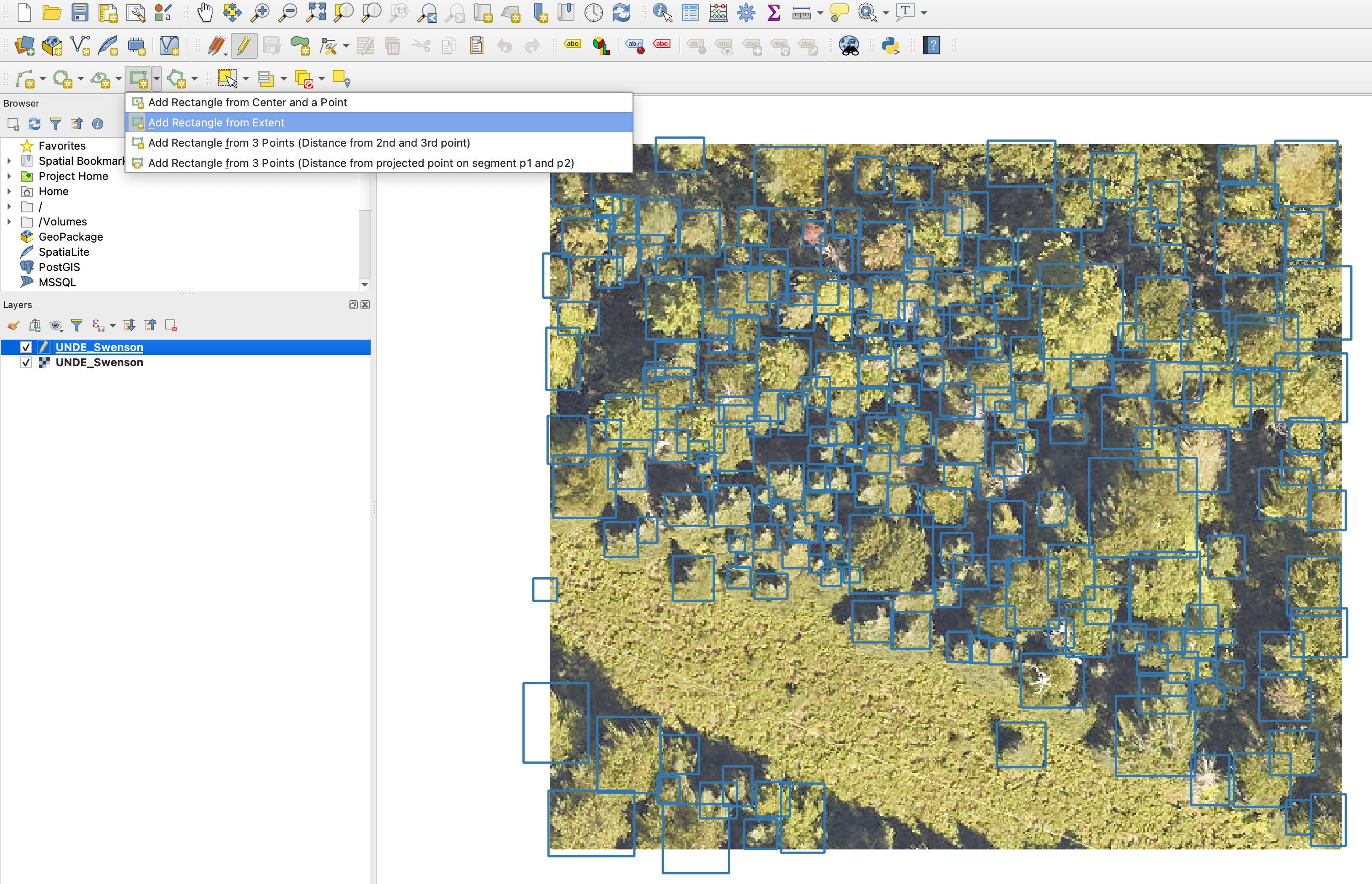
QGIS annotation example.#
Label Studio#
For long-term projects, we recommend using Label Studio as an annotation platform. It offers many useful features and is easy to set up.
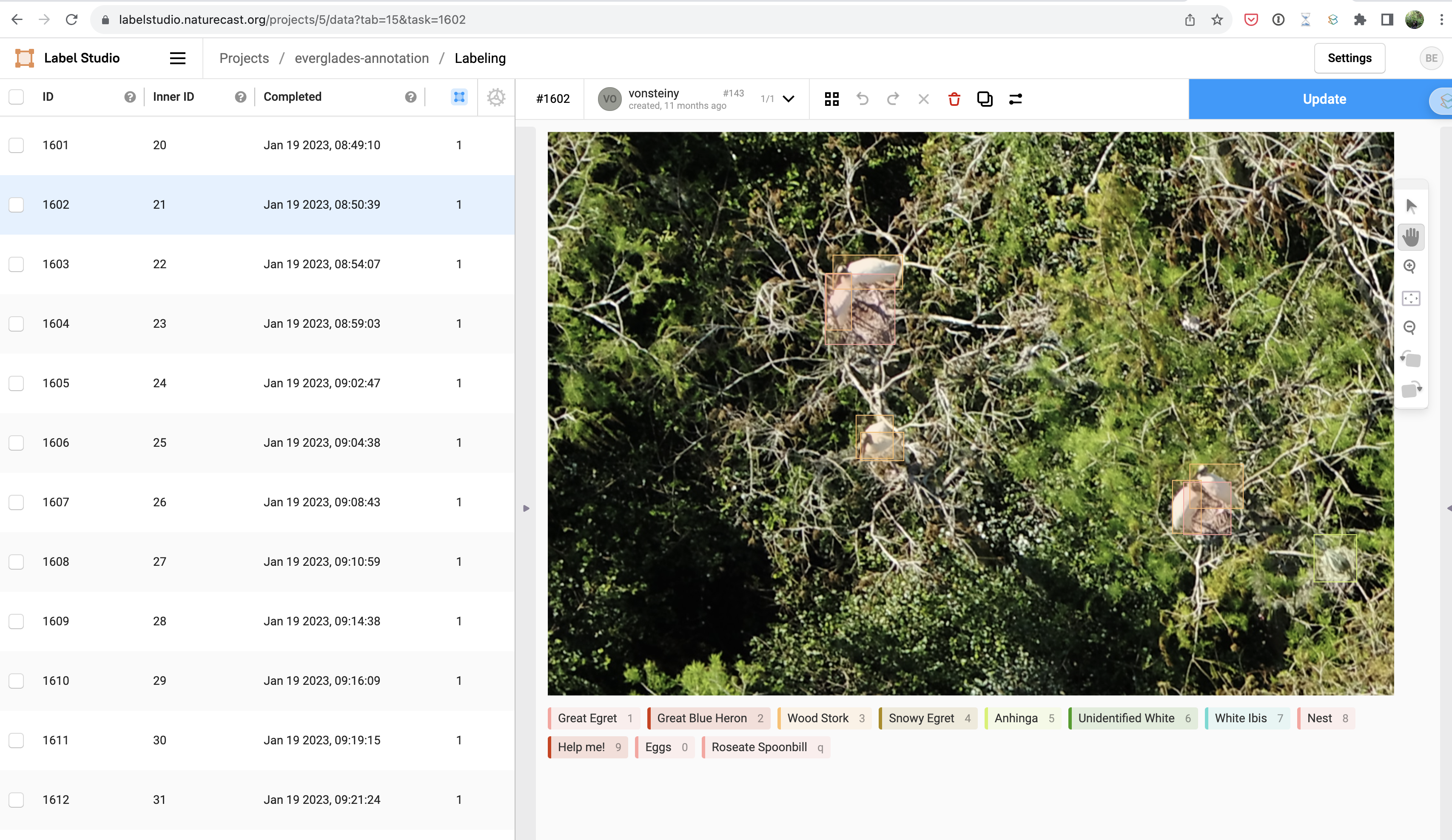
Label Studio annotation platform.#
Do I Need to Annotate All Objects in My Image?#
Yes! Object detection models use non-annotated areas of an image as negative data. While annotating all objects in an image can be challenging, missing annotations will cause the model to ignore objects that should be treated as positive samples, leading to poor performance.
How Can I Speed Up Annotation?#
Select Important Images: Duplicate backgrounds or objects contribute little to model generalization. Focus on gathering a wide variety of object appearances.
Avoid Over-splitting Labels: Often, using a superclass for detection followed by a separate model for classification is more effective. See the
`CropModel<CropModel.md>`_ for an example.Balance Accuracy and Practicality: Depending on the goal (e.g., object counting or detection), keypoints can sometimes be used instead of precise boxes to simplify the process.
Quick Video on Annotating Images#
Here is a video demonstrating a simple way to annotate images:
Converting Shapefile Annotations to DataFrame#
You can convert shapefile points into bounding box annotations using the following code:
df = shapefile_to_annotations(
    shapefile="annotations.shp",
    rgb="image_path",
    convert_to_boxes=True,
    buffer_size=0.15
)
Cutting Large Tiles into Pieces#
Annotating large airborne imagery can be challenging. DeepForest has a utility to crop images into smaller, more manageable chunks.
raster = get_data("2019_YELL_2_528000_4978000_image_crop2.png")
output_crops = preprocess.split_raster(
    path_to_raster=raster,
    annotations_file=None,
    save_dir=tmpdir,
    patch_size=500,
    patch_overlap=0
)
Starting Annotations from Pre-labeled Imagery#
You can speed up new annotations by starting with model predictions. Below is an example of predicting detections and saving them as shapefiles, which can then be edited in a tool like QGIS.
from deepforest import main
from deepforest.visualize import plot_predictions
from deepforest.utilities import boxes_to_shapefile
import rasterio as rio
import geopandas as gpd
from glob import glob
import os
import matplotlib.pyplot as plt
import numpy as np
from shapely import geometry

PATH_TO_DIR = "/path/to/directory"
files = glob(f"{PATH_TO_DIR}/*.JPG")
m = main.deepforest(label_dict={"Bird": 0})
m.load_model(model_name="weecology/deepforest-bird", revision="main")

for path in files:
    boxes = m.predict_image(path=path)
    rio_src = rio.open(path)
    image = rio_src.read()

    if boxes is None:
        continue

    image = np.rollaxis(image, 0, 3)
    fig = plot_predictions(df=boxes, image=image)
    plt.imshow(fig)

    basename = os.path.splitext(os.path.basename(path))[0]
    shp = boxes_to_shapefile(boxes, root_dir=PATH_TO_DIR, projected=False)
    shp.to_file(f"{PATH_TO_DIR}/{basename}.shp")
Reading XML Annotations in Pascal VOC Format#
DeepForest can read annotations in Pascal VOC format, a widely-used dataset format for visual object detection. The read_pascal_voc function reads XML annotations and converts them into a format suitable for use with models like RetinaNet.
Example:
from deepforest import get_data
from deepforest.utilities import read_pascal_voc

xml_path = get_data("OSBS_029.xml")
df = read_pascal_voc(xml_path)
print(df)
This prints:
      image_path  xmin  ymin  xmax  ymax  label
0   OSBS_029.tif   203    67   227    90   Tree
1   OSBS_029.tif   256    99   288   140   Tree
2   OSBS_029.tif   166   253   225   304   Tree
3   OSBS_029.tif   365     2   400    27   Tree
...
Fast Iterations for Annotation Success#
Avoid collecting all annotations before model testing. Start with a small number of annotations and let the model highlight which images are most needed. Fast iterations lead to quicker model improvement. For an example in wildlife sensing, see Kellenberger et al., 2019.
Please Make Your Annotations Open-Source!#
DeepForest’s models are not perfect. Please consider sharing your annotations with the community to make the models stronger. You can post your annotations on Zenodo or open an issue to share your data with the maintainers.
How Can I Get New Airborne Data?#
Many remote sensing assets are available via ArcGIS REST protocol. DeepForest provides tools to work with these assets, such as California NAIP data.
Specify a Lat-Long Box and Crop an ImageServer Asset#
from deepforest import utilities
import matplotlib.pyplot as plt
import rasterio as rio
import os
import asyncio
from aiolimiter import AsyncLimiter

async def main():
    url = "https://map.dfg.ca.gov/arcgis/rest/services/Base_Remote_Sensing/NAIP_2020_CIR/ImageServer/"
    xmin, ymin, xmax, ymax = -124.112622, 40.493891, -124.111536, 40.49457
    tmpdir = "<download_location>"
    image_name = "example_crop.tif"

    semaphore = asyncio.Semaphore(1)
    limiter = AsyncLimiter(1, 0.05)

    os.makedirs(tmpdir, exist_ok=True)

    filename = await utilities.download_ArcGIS_REST(
        semaphore, limiter, url, xmin, ymin, xmax, ymax, "EPSG:4326", savedir=tmpdir, image_name=image_name
    )

    assert os.path.exists(os.path.join(tmpdir, image_name))

    with rio.open(os.path.join(tmpdir, image_name)) as src:
        assert src.crs is not None
        plt.imshow(src.read().transpose(1, 2, 0))
        plt.show()

asyncio.run(main())
Downloading a Batch of Images#
import asyncio
import pandas as pd
from aiolimiter import AsyncLimiter
from deepforest import utilities

async def download_crops(result_df, tmp_dir):
    url = 'https://map.dfg.ca.gov/arcgis/rest/services/Base_Remote_Sensing/NAIP_2022/ImageServer'

    semaphore = asyncio.Semaphore(20)
    limiter = AsyncLimiter(1, 0.05)
    tasks = []

    for idx, row in result_df.iterrows():
        xmin, ymin, xmax, ymax = row['xmin'], row['ymin'], row['xmax'], row['ymax']
        os.makedirs(tmp_dir, exist_ok=True)
        image_name = f"image_{idx}.tif"
        task = utilities.download_ArcGIS_REST(semaphore, limiter, url, xmin, ymin, xmax, ymax, "EPSG:4326", savedir=tmp_dir, image_name=image_name)
        tasks.append(task)

    await asyncio.gather(*tasks)